Whether you’re competing on a stage, trying your luck in a tournament, or playing with friends you’ve met at the event, your crosshair is one CS2 setting worth sorting before you arrive at your next DreamHack event.
Here’s how to pick one, make it yours, and make sure you can load it anywhere.
Start from a pro's crosshair
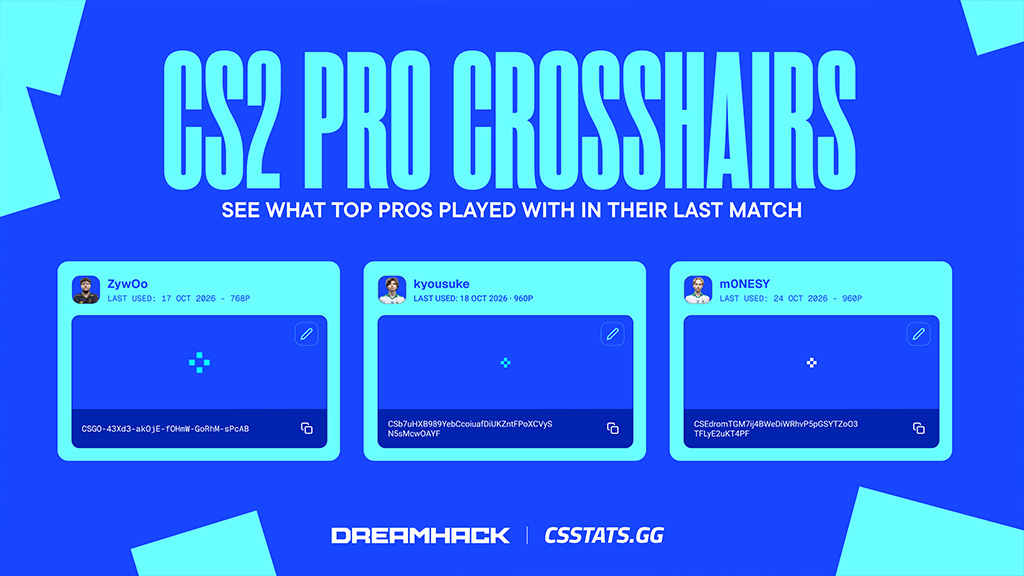
You don’t have to build a crosshair from nothing. CSstats.gg shows the CS2 pro crosshairs 20 top players used in their most recent match, with the date of the match and the resolution they played on.
Want to start where the best players do? donk’s and ZywOo’s crosshairs are both there, along with NiKo, m0NESY, and more.
Click the copy button on any card to grab the code.
Take your code with you
Your crosshair code has a unique, short line of text, so it’s easy to share between devices. Save it somewhere you can reach from any PC, like your phone’s notes or a message to yourself on Discord.
To load it at the event:
- Open the the game settings in CS2.
- Go to Crosshair settings and select import
- Paste your code and press Enter.
That’s it. Your crosshair is set, wherever you’re playing.
Settle on it before you go
Give yourself at least a week with your crosshair for the best performance. Play deathmatch and a few matches with it at home, so it feels natural by the time you sit down to play. If you’re going with a team, get everyone to save their codes too. It’s a quick check that saves time at your setup on day one so you get into games faster.
See you at DreamHack
Find a starting point among the pro crosshairs on CSstats, make it yours with the crosshair generator, and bring it with you to next DreamHack event.